Account Holder & License Keys
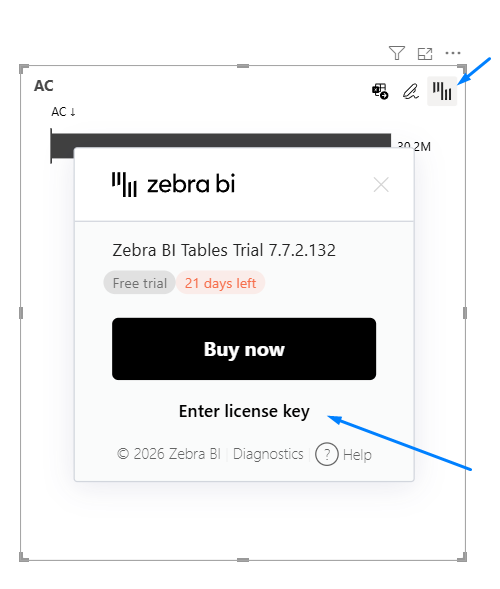
After purchase, the account holder receives access to a secure member portal. Account holder receives a link, which is then shared with everyone who will be working with Zebra BI in the company to collect their license key.
Member portal includes:
- License details
- Zebra BI style editor for design themes
Entering and Updating License Keys
- As a first-time user, you can learn how to enter a license key here.
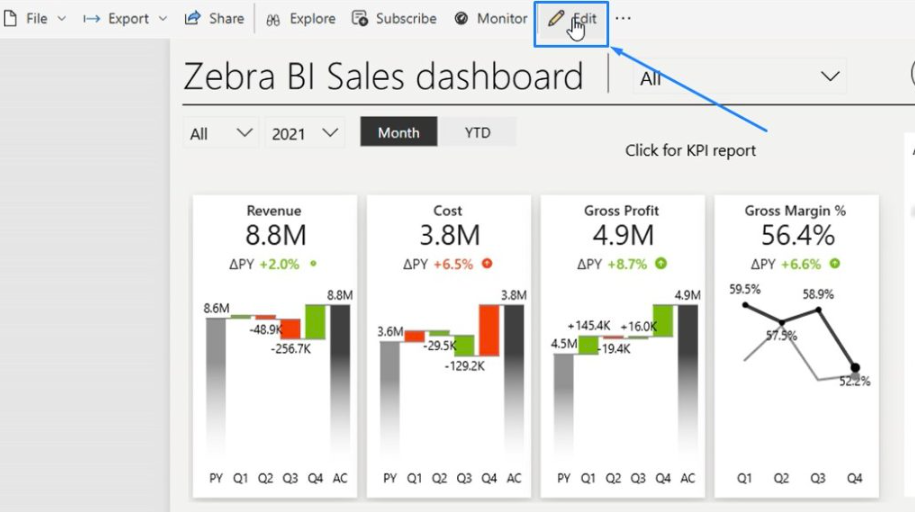
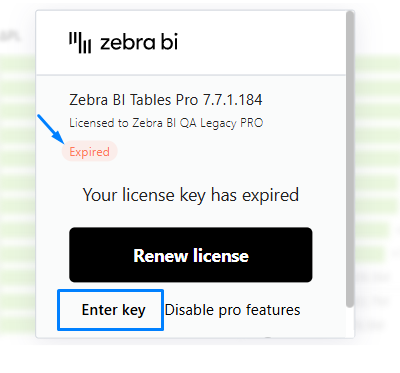
- Upon renewal, you can update the key in Power BI when modifying a report (editing mode).
- Published reports continue to work for viewers indefinitely, even if the key changes later.
- Designers enter the new key only when editing.
- Only when you enter the Edit mode in Power BI Service will the visuals lock and require a new license key:
Sharing Within Your Team
The account holder can share the license key with report designers who are building or editing reports. Viewers do not need to enter keys, but still must be licensed.
What Happens After a Trial
Switching from a free trial to a paid license is seamless. You simply click on the Zebra BI icon at the top right corner of the visual, enter the paid license key, save/republish your reports — nothing is lost in the process.