



Zebra BI visuals now support manual locale selection, allowing you to explicitly define how numbers, dates, and separators are formatted in your reports.
By default, Zebra BI visuals use the locale provided by Power BI. Manual locale selection gives you direct control over formatting behavior across your visuals.
The selected locale affects formatting behavior, such as:
- Decimal separators
- Thousands grouping
- Date formatting
Introduction
As Power BI automatically assigns a host locale, it may not always match reporting requirements or user expectations.
Manual locale selection enables:
- Explicit control over formatting behavior
- Consistent formatting across visuals
- Support for international reporting scenarios
- Resolution of issues related to automatic locale detection
Configuration
Manual visual input
A locale textbox is available in the formatting pane under Data Labels → Locale
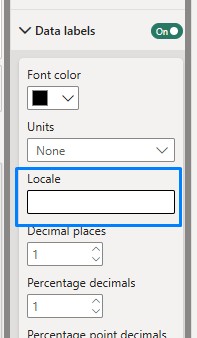
Users can manually enter a locale using ISO format:
Language (ISO 639) + Territory (ISO 3166)Examples:en-USde-DEfr-FRde-CH
| Locale | Decimal Separator | Thousands Separator | Example |
|---|---|---|---|
en-US | . | , | 1,234.56 |
de-DE | , | . | 1.234,56 |
fr-FR | , | space | 1 234,56 |
de-CH | . | ' | 1’234.56 |
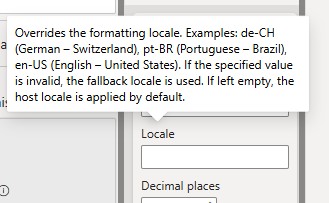
The tooltip explains:
- The expected input format
- Fallback behavior when an invalid locale is entered
JSON Configuration Support
Locale can also be configured through JSON settings.
PBI Tables and PBI Charts
"dataLabelSettings": [{
   "locale": "de-CH"
}]
PBI Cards
"dataLabels": [{
   "locale": "de-CH"
}]
This allows locale settings to be updated across visuals where the locale has not been manually overridden in the formatting pane. Below you will find a sample JSON file where the locale setting is already included within each visual, and you can enter your own locale and import the theme into the report.
Locale Resolution Logic
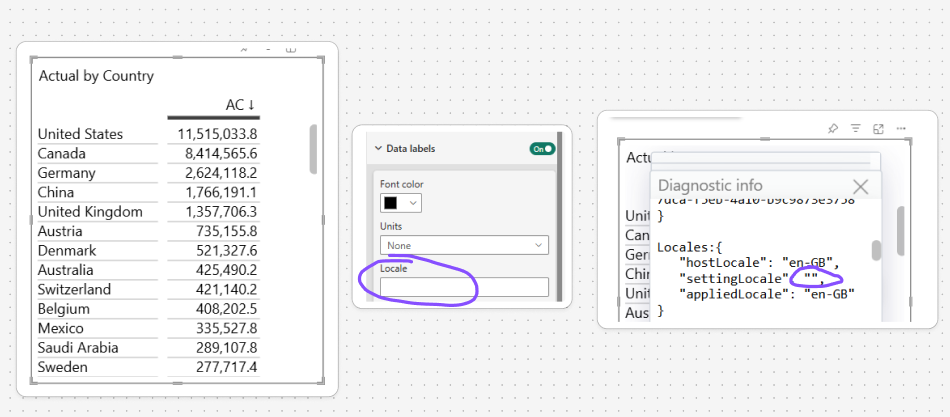
No Locale Entered (current and default behavior)
If no locale is entered, the visual uses the host locale provided by Power BI.
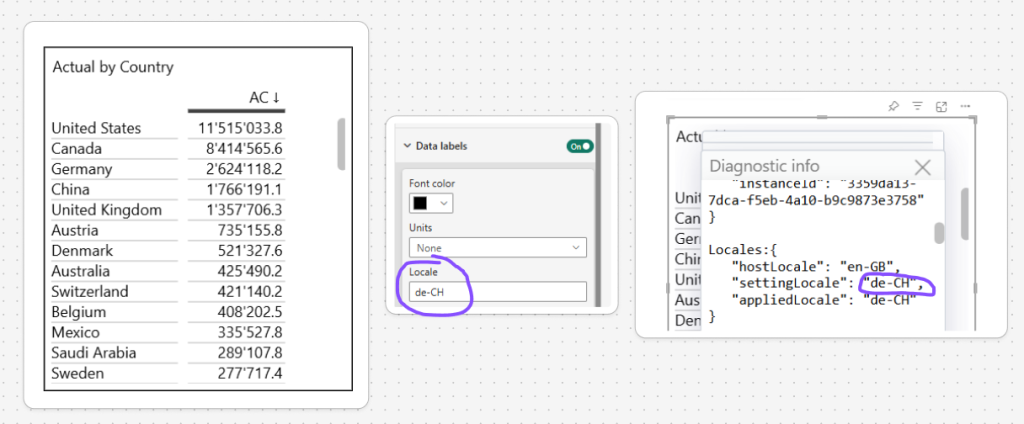
Valid Setting Locale Entered
If a valid locale is entered, that locale is used by the formatting library.
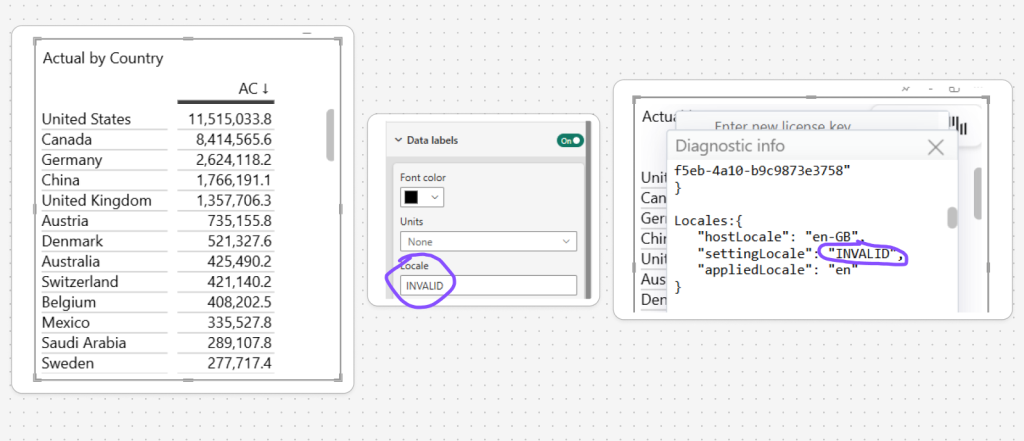
Invalid Locale Entered
If an invalid locale is entered, the formatting library applies its fallback locale (default Zebra BI locale “en”).
Bookmarks
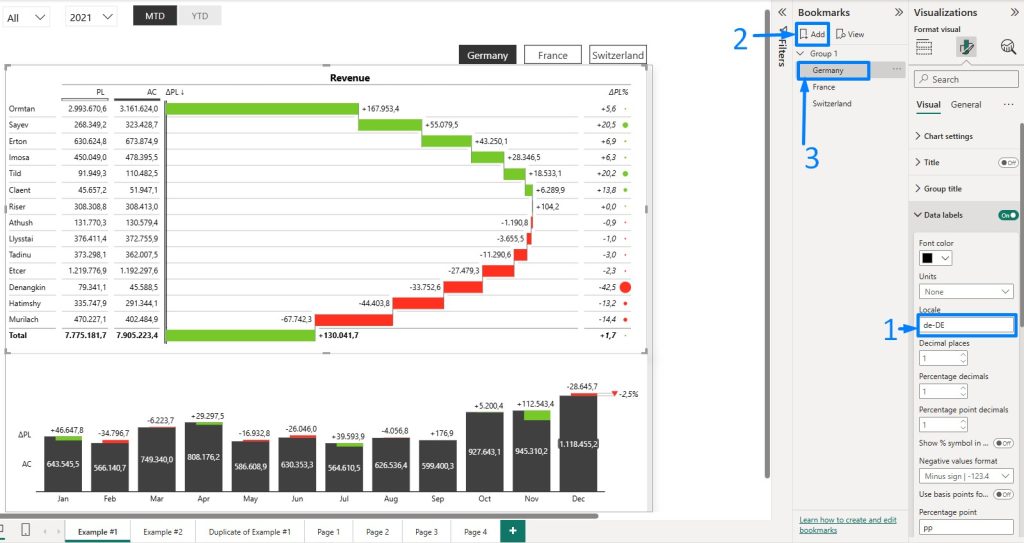
The setting is bookmarkable, meaning end users from different regions will have an option to switch between different locales if the report editor prepares a report in this manner.
Example
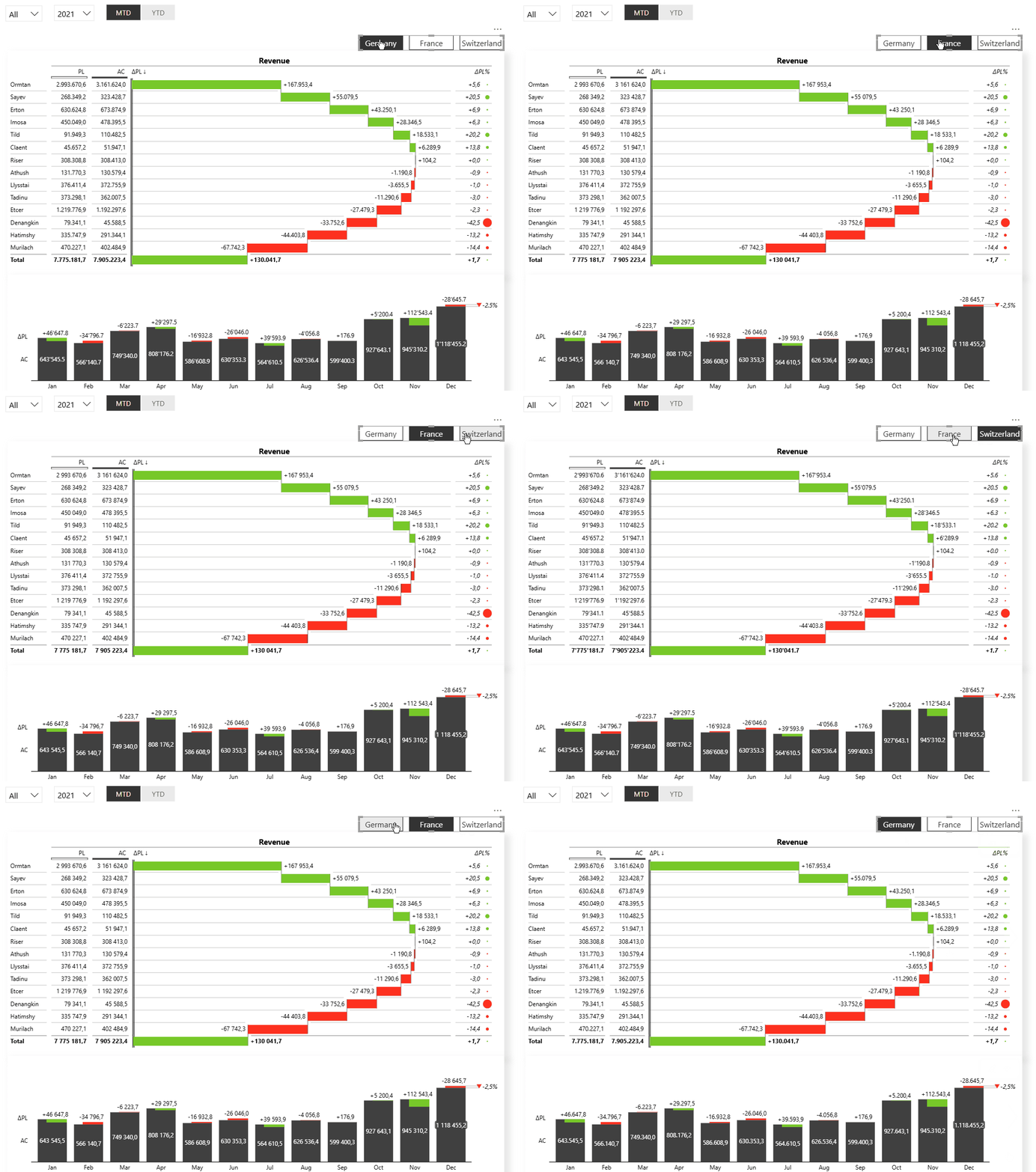
End users are coming from different regions and expect to see numbers based on their region.
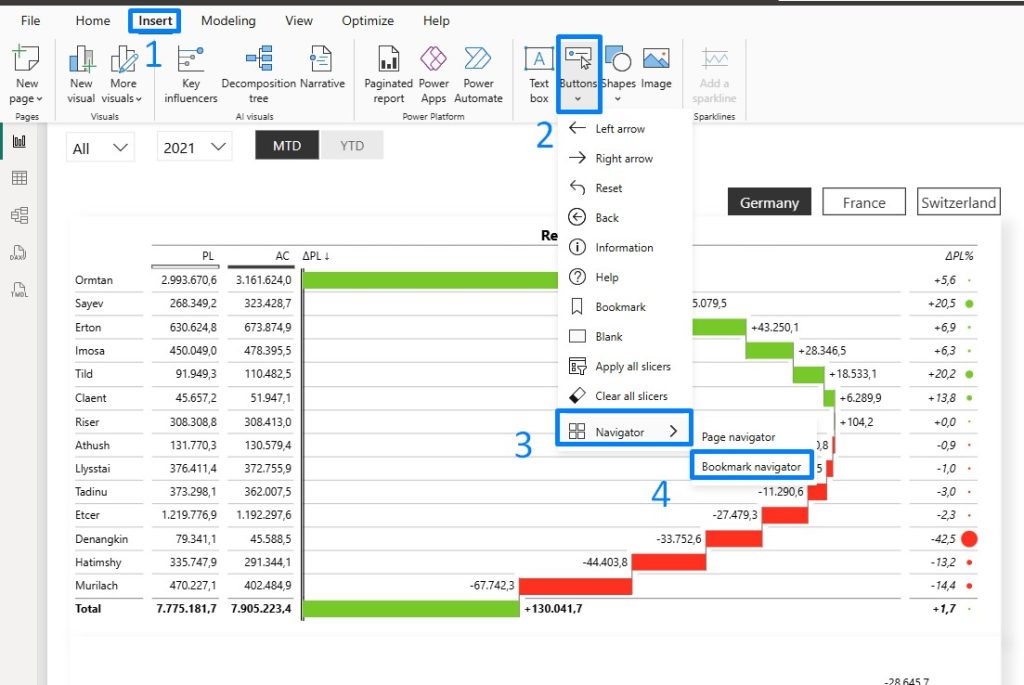
Set up a bookmark navigator by changing the visual locale, creating a bookmark, and repeating the process for each locale you want to include.
Add a button “Bookmark navigator”
This enables end users to view the same report using formatting conventions familiar to their region or reporting standards.
Manual Locale Selection allows users to override the automatically detected Power BI locale and explicitly control formatting behavior in Zebra BI visuals. This helps ensure consistent and region-specific number and date formatting across reports while also providing transparency through diagnostics and predictable fallback behavior.